 SPINTIP
Blog · Pickleball
Best Pickleball Apps in 2026 | A Complete Guide
Which pickleball app should I use in 2026?
It depends on what you want from it. To record your own games and review them point by point, look for an app that cuts the points for you, rates your play and lets you ask a coach about a point. That is what Spintip does, from one phone behind the baseline. For upload-based match analytics or swing tracking on an Apple Watch, the other apps in this post are built for that.
- Recording that needs nobody behind the camera
- Points cut for you, so review takes minutes, not the whole match
- A level you can follow game by game, with its margin
- A way to ask a real coach about one point
- Where it runs: iPhone, Android, a watch or the browser
| App | What it is for | Records your own games | A real coach on your clips | Platforms |
|---|---|---|---|---|
| Spintip | Recording, your level, the AI Coach and replies from your coach | Yes, cut point by point while you play | Yes: send a point with a question, the reply lands on the clip | iPhone and Android; live insights work on iPhone and Android, and on Android the AI Coach arrives with Android billing |
| SwingVision | Match stats, highlights by shot type and line calls, for tennis and pickleball | Yes | Coach Reviews from professional coaches | iPhone, iPad, Mac, Apple Watch; not on Android (Oct 2026) |
| PB Vision | Shot-by-shot stats, skill ratings, highlights and AI coaching from your match videos | Yes, from your match videos | Not stated | iPhone and iPad; Android and web* |
| PickleWatch | Swing detection and grading on the Apple Watch | No video; swings tracked on the watch | Not stated | Apple Watch with iPhone |
Spintip levels are performance measures, not official NTRP, UTR or DUPR ratings.
Other apps: from their App Store listings, checked 15 October 2026, and from this post where marked *. "Not stated" means we could not confirm it. The Spintip details further down were written in August; for what Spintip does and costs today, see Players and Pricing.
What should a pickleball app do for my own game?
Record without anyone filming, cut the game into points, show your level game by game, and let you ask a coach about a single point.
Does Spintip rate doubles?
Yes. Doubles is rated as a team, and you see the level game by game.
Is there a pickleball app that works without video?
PickleWatch. Its App Store listing describes an Apple Watch app that detects and grades swings, with no video.
Does Spintip work on Android?
Spintip runs on iPhone and Android, with live insights on both; on Android, the AI Coach arrives with Android billing.
Updated 15 October 2026
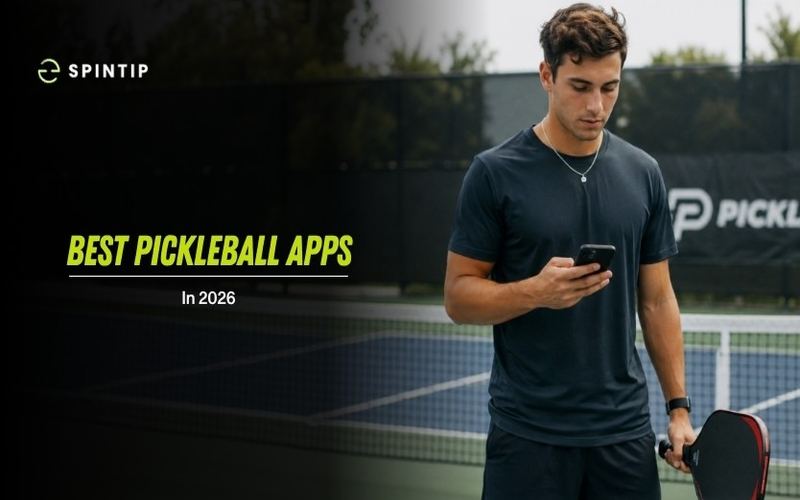
Over 24 million Americans now play pickleball, according to the Sports & Fitness Industry Association's 2026 report, and for a lot of those players, the next upgrade is not a new paddle. The biggest gains now come from what is already in your pocket (your phone). The right app can record your matches, track your performance, spot patterns you would never notice on your own, and connect you with a real coach who can see your actual game.
But with several options promising to help you improve, figuring out which one is worth your time can be tricky. We compared four of the most talked-about pickleball apps to find out: Spintip, SwingVision, PB Vision, and PickleWatch.
Key Takeaways
The best pickleball apps in 2026 go beyond simple recording and offer AI coaching, performance tracking, and coach connectivity
Spintip combines on-device video analysis, real-time performance scoring, AI coaching, a global coaching marketplace, and social content creation in one place
SwingVision offers deep match statistics and line-calling but requires Apple products and cloud processing
PB Vision provides pickleball-specific analytics with Android support but relies on post-match uploads with wait times
PickleWatch delivers wrist-based feedback through an Apple Watch with no video review
Pickleball apps for beginners should start with a court finder and add video analysis as their game develops
Reading about apps can point you in the right direction, but real improvement comes from a coach who can see your actual game. Most pickleball happens outside of a lesson, with no one watching. The apps worth paying attention to are the ones that connect you to a coach and track your performance on every point so you know exactly what to work on. Spintip was built to close that gap.
Download it for free and see for yourself.
Spintip
The All-in-One Camera, Coaching, and Performance App
Spintip was built by a coach who lived this problem every day for over 20 years, watching students struggle to improve between lessons because nobody could see their game. The result is an app that combines recording, AI coaching, performance tracking, coach connectivity, and social content into a single platform.
Place your phone anywhere behind the baseline. Tap Start. Go play.
CAPTURE uses computer vision to detect the court, recognize whether you are playing tennis or pickleball, and auto-calibrate to the court's dimensions. No tripod fuss, no manual alignment. You do not touch your phone again until you are done.
From there, everything happens on-device and in real time:
PULSE tracks a live performance number for every point, so you can see whether your level is trending up or down
The AI Coach delivers AI coaching insights between points and a post-game summary of action items. The AI is continuously improving with every update
VIEWPOINT lets you swipe through every point with dead space removed for faster review. Swipe up to save a highlight, swipe down to dismiss, left or right to skip
When you land on a point you want help with, ANALYZE lets you record a voice or text question right on that clip. The question gets inscribed as a subtitle in the video, and you send it directly to your coach. The coach responds with voice or video analysis layered into the same view. Everything stays inside your game review.
CONNECT links you with coaches worldwide.
SHARE auto-crops and formats your best points vertically, ready for social media in one tap
What stands out: On-device processing means results are ready the moment you press Stop. No cloud uploads, no waiting, no extra cost. Computer vision auto-calibration means zero manual setup. And the coaching marketplace is built right in, so you go from recording to coach feedback without leaving the app.
SwingVision
The Feature-Rich Video Option
SwingVision started as a tennis app and has invested heavily in pickleball over the past couple of years. Using a single iPhone or iPad camera, the app can automatically track scores, identify shots, measure shot speed, generate highlights, and offer line-calling assistance.
The biggest strength is breadth. For coaches and competitive players who want detailed match statistics, SwingVision offers a mature product with active development and Apple Watch integration.
The tradeoff is friction. Getting the best results may require proper camera placement, good court visibility, and adequate lighting. The app relies on cloud processing, so there can be wait times after a session. SwingVision is also Apple-only, which leaves Android users without access.
PB Vision
The Pickleball-Specific Analytics Option
PB Vision was built specifically around pickleball, and the analytics reflect that focus. The app emphasizes shot patterns, third-shot analysis, attack rates, court positioning, and rally construction.
PB Vision also supports Android, iOS, and web browsers, making it one of the more accessible options across devices. DUPR integration is another advantage for players who want their match data connected to their rating.
The main limitation is workflow. PB Vision is a post-match tool. You record, upload, and wait for processing, which can take anywhere from a few minutes to several hours based on user reports. There is no live feedback during play.
PickleWatch
The Wrist-Based Option
PickleWatch takes a completely different approach. Instead of analyzing video, the app turns your Apple Watch into a pickleball coach. Start a session and play. The watch tracks movement patterns, shot types, swing speed, and overall performance trends.
The biggest advantage is simplicity. No camera, no phone setup, no footage to review afterward. For recreational players who just want some feedback without turning every session into a production, that low friction may be valuable.
The tradeoff is depth. Without video, PickleWatch cannot show you point-by-point footage, review positioning, analyze ball trajectory, or create highlights. The app measures mechanics through wrist motion, not outcomes on the court.
Conclusion
Pickleball players finally have real options when it comes to apps. SwingVision offers deep match statistics for Apple users. PB Vision brings pickleball-specific analytics with cross-platform access. PickleWatch keeps things simple with wrist-based feedback.
But if you want one app that handles the full loop, recording, performance tracking, AI coaching, coach feedback, and social content, without jumping between tools or waiting for cloud uploads, Spintip covers all of that in a single place.
Place your phone behind the baseline, tap Start, and go play. Your game review is ready the moment you stop. From there, you can swipe through every point, ask a coach for feedback, paid per minute at the coach's own rate, and share your best moments on social media in one tap.
For pickleball apps for beginners, pairing a court finder with USA Pickleball's court database is a good starting point. As your game develops, an app like Spintip helps you improve faster with real coaching on real play.
Download Spintip for free and get your first game review.
Rated every shot, coached on every point.
Spintip turns the phone behind the baseline into your level, your AI Coach and your coach.